
Phone Charging Stations for Colleges and Universities
Students tap to rent a charged power bank and return it in any building with a station. Under our standard terms, a local operator installs and services it, and the campus pays only for electricity.
Charging that moves between buildings
A student takes a bank in the library, charges on the walk to class and drops it at the union. Any free slot at any JB Charging station ends the rental.
No desk duty, no cable drawer
Students tap a card or phone and return the bank themselves. The station runs on its own 4G, so there's usually no IT ticket.
First hour free, if sponsored
An operator can make the first period of each rental free, up to an hour. A sponsor or campus office can cover that time in exchange for a message on the screen, on terms agreed in writing with your operator before install.
A phone charging station for a college campus lets a student rent a charged power bank in the library and return it at the union. A $3 rental competes with a free outlet, so ask for a free first hour paid by a sponsor or campus office. Where a local JB Charging operator serves your area, the station costs the campus nothing beyond electricity under our standard terms, and staff don't run it.
Why students run out of battery on campus
Picture a November Tuesday: lab at 8, two lectures, a dining hall shift, the library until close. By 9pm the phone is at 15%, and it's also:
- The key. On campuses with student IDs in Apple Wallet, it opens the residence hall, library and gym, and pays for lunch (Apple).
- The sign-in. Where campus logins use two-step verification on the phone, a dead battery can mean no course site.
- The walk home. The safety app, safe-ride request and "made it back" text come late, when the battery is lowest.
How a student rents a power bank
- Tap a card or phone (Apple Pay, Google Pay or any contactless card), or scan the QR code. No app or account needed.
- Take a charged power bank with Lightning and USB-C cables built in.
- Go. The phone charges in a backpack on the way to class.
- Return it to any free slot at any JB Charging station, in any building that has one.
Unlike a charging locker, the phone stays with the student, which matters when it's also their ID. The operator sets each station's price; at a common setting of $3 per 30 minutes with a $20 daily maximum, a two-hour library session costs $12.
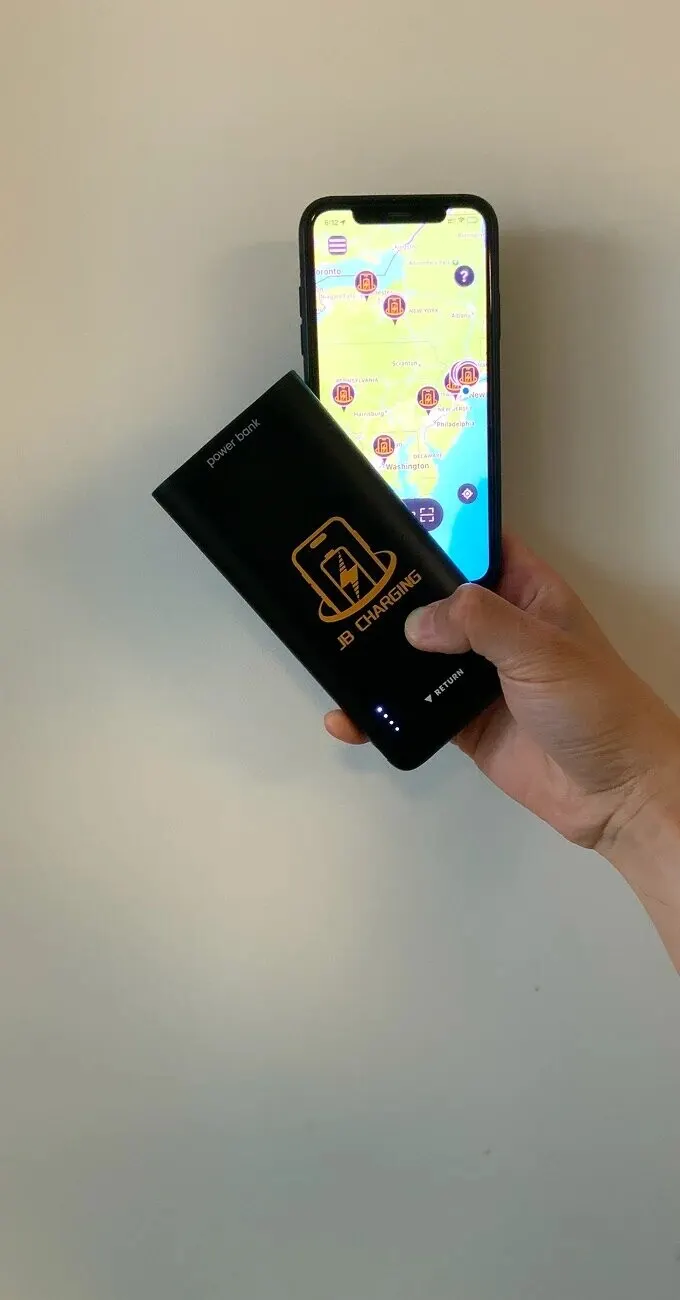
Where a phone charging station goes on a college campus
Put stations where students settle in, not where they pass through. Start with two buildings on one walking path, usually the library and union, so a bank can go back at either.
| Building | Where exactly | Station |
|---|---|---|
| Library | By circulation at the entrance, or a 24-hour study space; not quiet floors | J24 at the entrance, J8 in the study space |
| Student union | Info desk, or the edge of the food court | J24 |
| Commuter lounge | Beside the seating | J8 |
| Dining hall | Near the exit, so students rent on the way to class | J8 on a stand or wall mount |
| Rec center | Front-desk lobby | J8, mainly as a return point |
| Arena or stadium | Concourse near concessions, clear of gates | J24 per main concourse |
Skip residence halls for now (banks go upstairs overnight; students charge in their rooms), classroom corridors, workout floors and parking decks.
Every spot needs a standard outlet within cord reach (no extension cord), a clear exit path, and a screen and reader someone seated can reach. Stations run on their own 4G, so start where there's cell signal; a basement or the deep stacks would need campus Wi-Fi, which means asking IT.
Which station fits your campus
| Campus layout | Start with | Add a station when |
|---|---|---|
| A library and a union | A J8 in each | Either runs out of charged banks on weekday evenings |
| Library, union and several dining halls | J24s in the library and union, a J8 at the busiest dining hall | The library runs low at midterms, or a 24-hour study space opens |
| All that, plus an arena | A J24 per main concourse | Game days empty them early |
Size for the busiest hour: on a finals-week evening, all 8 banks in a J8 can be out at once. A J8 Pro (10-inch screen) takes about 9 x 9 inches of counter, stand or wall; a J24 Pro is a 71-inch tower on a 14 x 18-inch footprint, with a 24-inch screen for sponsor and campus messages.
What your staff do (and don't)
The campus provides a spot, an outlet and the electricity. Staff don't hand out banks, take payments or chase returns: students get help from JB Charging through the machine, app or receipt, and the operator monitors and restocks each station and takes the call if one looks down. Give circulation and info desk workers one line:
"Phone dying? Tap a card or phone at the station by the doors, and drop the bank back here or at the union."
Then put the station on the library's services page and welcome-week map.
A free first hour: who pays for it
That $12 is the catch: students weigh $3 against a free outlet. So ask for a free first period of up to an hour on each station, paid for by someone other than the student: student government, the bookstore or dining services, an athletics sponsor, or the alumni office around homecoming.
Normal pricing applies after that, so also ask for a lower daily maximum, say $10 instead of the default $20, and put the student price and maximum in the agreement. There's no standard package or price; if your operator offers this, who pays, how much and for which stations is agreed in writing before install.
The agreement can also say what runs on the screen: the sponsor, finals-week hours, union events, and nothing your advertising policy or an exclusive partner (a campus bank, beverage or wireless contract) rules out.
Approvals and terms in plain words
- Who usually signs. Auxiliary services or the union director for the union and dining, library administration for the library, athletics for the arena. Bring purchasing and risk management in early.
- Who does the work, and what it costs. Where one serves your area, a local, independent operator on the JB Charging network supplies, installs, stocks and services the station, and you sign with that operator; if none does yet, we'll tell you. Under our standard terms the campus pays only for electricity, under $10 a month for a J8 even at full draw (at 20 cents per kWh). The operator is paid from rentals and screen sponsorships. Any rental share is agreed in writing before install and paid monthly.
- Term and exit. Our standard agreement runs 6 months, then month to month on 30 days' notice, and removal costs you nothing. The campus isn't responsible for stolen banks or renter misuse of the equipment. It agrees not to host a competing charger during the term, so have the agreement name the building, not the whole university, and list any chargers your library lends. Operators may propose other terms; see our agreement checklist.
- Or own your stations. A department can buy stations and run them: set the price and keep 80% of rental revenue (JB keeps 20% for processing, 4G and support) before costs such as staff time, replacement banks and any taxes. Your team then does the operator's job: uptime, restocking and local issues. Rental revenue isn't guaranteed; it depends on placement and use. Stations and list prices.
Request a station, or ask for our standard venue agreement and insurance certificate to share with purchasing and risk first. We'll reply with whether an operator serves your area, who would install it, and the terms. Nothing is installed until you sign.
Run charging stations yourself? Read our campus playbook for operators.
Frequently Asked Questions
How much does a phone charging station cost a college?
Under our standard hosting terms, nothing beyond the electricity it uses, where an operator serves your area. A local, independent operator on the JB Charging network supplies, installs, stocks and services the station, and is paid from rentals and any screen sponsorships it sells. The electricity is modest. A J8 runs on a 60-watt adapter, so even drawing that much around the clock it would use about 43 kWh a month, under $10 at 20 cents per kWh. A J24 is rated at 160 watts, so its ceiling is about 115 kWh a month, roughly $23. If a department would rather own stations, list prices at the time of writing are about $1,200 for a J8 Pro and about $3,300 for a J24 Pro, plus shipping, with no monthly fees.
What does it cost to make charging free for students?
There's no set price or package. An operator can make the first period of each rental free, up to 60 minutes, and normal pricing applies after that. On campus, plan for someone other than the student to pay for that free time, such as student government, the bookstore, dining services, an athletics sponsor or the alumni office, with their message on the station's screen. If an operator offers it, who pays, how much and for which stations is agreed in writing before install. If no one will fund free time, ask instead for a lower student price or a lower daily maximum.
What if a student keeps a power bank or takes it home over break?
The renter's card pays, never the college. By default, a bank that isn't back within 24 hours triggers a $40 non-return fee charged to the renter, who then keeps the bank. The operator sets that window and fee for each station, along with the price and daily maximum, so ask for campus-friendly settings and put them in the agreement.
Can students pay with a campus card or dining dollars?
Rentals are paid by tapping a contactless bank card, Apple Pay or Google Pay on the station's reader, or by scanning the station's QR code. Those are the payment methods we can confirm today. If you want rentals charged to campus cards or dining dollars, ask us before promising it to students.
Who approves a charging station on campus, and who do we sign with?
Usually auxiliary services or the student union director for the union and dining halls, library administration for the library, and athletics for arena concourses. You sign with the local operator who owns and services the station, starting from our standard venue agreement, so if purchasing needs to register a vendor, that's the operator. Purchasing or risk management may review the agreement even though it costs the campus nothing beyond electricity under our standard terms. JB Charging carries general liability insurance of $2 million per occurrence, and on request we'll ask our insurer to add your institution as an additional insured; send the exact legal name your risk office requires. Our policy covers JB Charging, not the operator, who is an independent business, so ask the operator for its own certificate too.
Does it connect to our network or collect student data?
Usually not. Every station we sell takes payment on its own card reader over a built-in 4G connection, with no monthly fee to the campus. Where cell signal is weak, such as a basement or deep in the stacks, the station can use Wi-Fi as a backup, which would need your IT team. A student rents by tapping a card or phone, like any tap purchase, with no app, account or student ID needed, and the phone plugs into a power bank, not a campus computer.
What happens to the station over summer and winter break?
Expect little use while students are away. Before install, agree in writing whether the station stays through summer sessions, orientation and camps, or comes out and goes back in for fall. Our standard agreement runs 6 months, then month to month with 30 days' notice, and removal costs the campus nothing. Ask your operator to put a return reminder on the screens before each break and at the end of the semester. For the first install, aim for the start of a semester or its first two weeks, so students know where the station is by midterms.
What about lithium batteries and campus fire codes?
The power banks carry FCC, CE and RoHS markings and charge in their own slots in the station. The station plugs straight into a standard wall outlet with no extension cord, and it should stay clear of exits and doorways. If your fire marshal or environmental health and safety office needs a specific listing or safety document, ask before install and we'll tell you plainly what we have.