Is It Safe to Rent a Power Bank? Juice Jacking, Explained
JB Charging Team

Can a power bank juice jack your phone? Only if someone built a malicious one on purpose. Juice jacking needs something on the other end of the cable that can talk to your phone like a computer, and a bank rented from a JB Charging station is a battery you carry away, plugged into nothing but your phone. Researchers have shown the attack in labs and the FBI has warned about it, but the FCC said in 2023 it knew of no confirmed real-world case. Two phone habits cover what's left, and if you run a venue, your staff need one sentence to explain it to guests.
Juice jacking: what's been shown, and what hasn't
Juice jacking is the idea that a charging port or cable quietly opens a data connection to your phone, then copies files or installs software while you think you're only charging. The public record is short:
- 2011. At the DEF CON hacker conference, researchers set up a free phone-charging kiosk. At least 360 attendees plugged in, and the kiosk showed each of them a warning. The researchers said they took no data (Krebs on Security).
- April 2023. The FBI's Denver office told people to avoid free charging stations in airports, hotels and shopping centers, and to use their own charger and cord in an electrical outlet (FBI Denver on X). Later that month, the FCC's updated consumer guide said juice jacking had been demonstrated as a proof of concept, but the agency was "not aware of any confirmed instances of it occurring." One of its tips was to carry an external battery (FCC guide, archived April 2023 text).
- 2025. Researchers at Graz University of Technology presented "ChoiceJacking" at the USENIX Security conference. Their custom-built malicious charger faked user input to approve its own data connection. It reached sensitive files on every device they tested, from 8 vendors. All but one vendor, including Apple, Google and Samsung, acknowledged the attacks and began working on fixes (USENIX paper).
So it takes purpose-built hardware, and phone makers keep patching the gaps. That's a reason to keep 2 habits, not a reason to let your phone die before the ride home.
Can a rented power bank juice jack your phone?
A USB port built into a wall or kiosk is a black box. You can't see what's wired behind it, or whether someone has tampered with it.
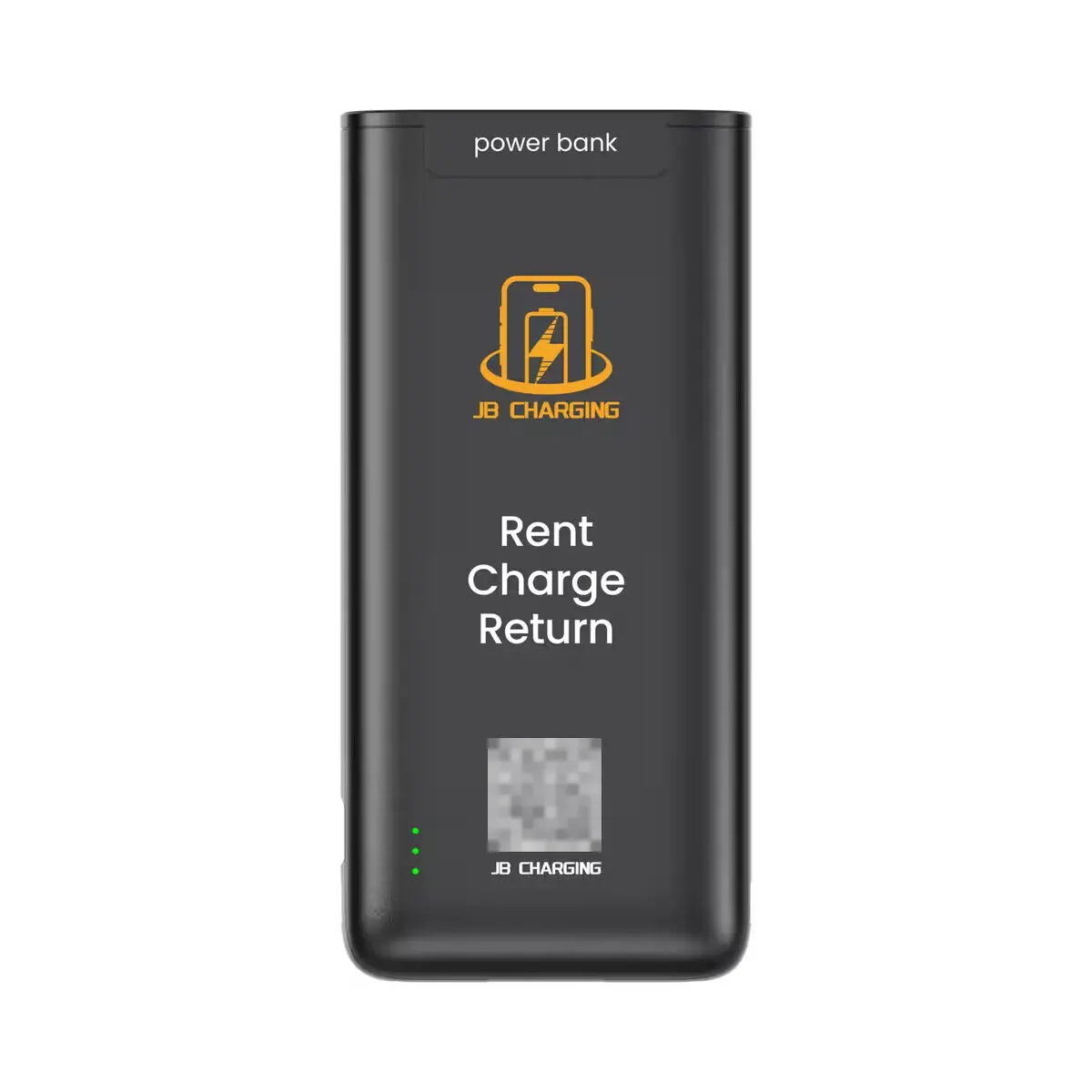
A station rental takes that box out of the picture. On the stations JB Charging sells today, you tap a contactless card or phone wallet on the reader, and a charged bank slides out with its own Lightning and USB-C cables. You plug your phone into the bank, not the station, press the bank's power button and carry it back to your table. While the bank charges your phone, it isn't connected to the station, a computer or anything else. The full guest flow is in how power bank rental works.
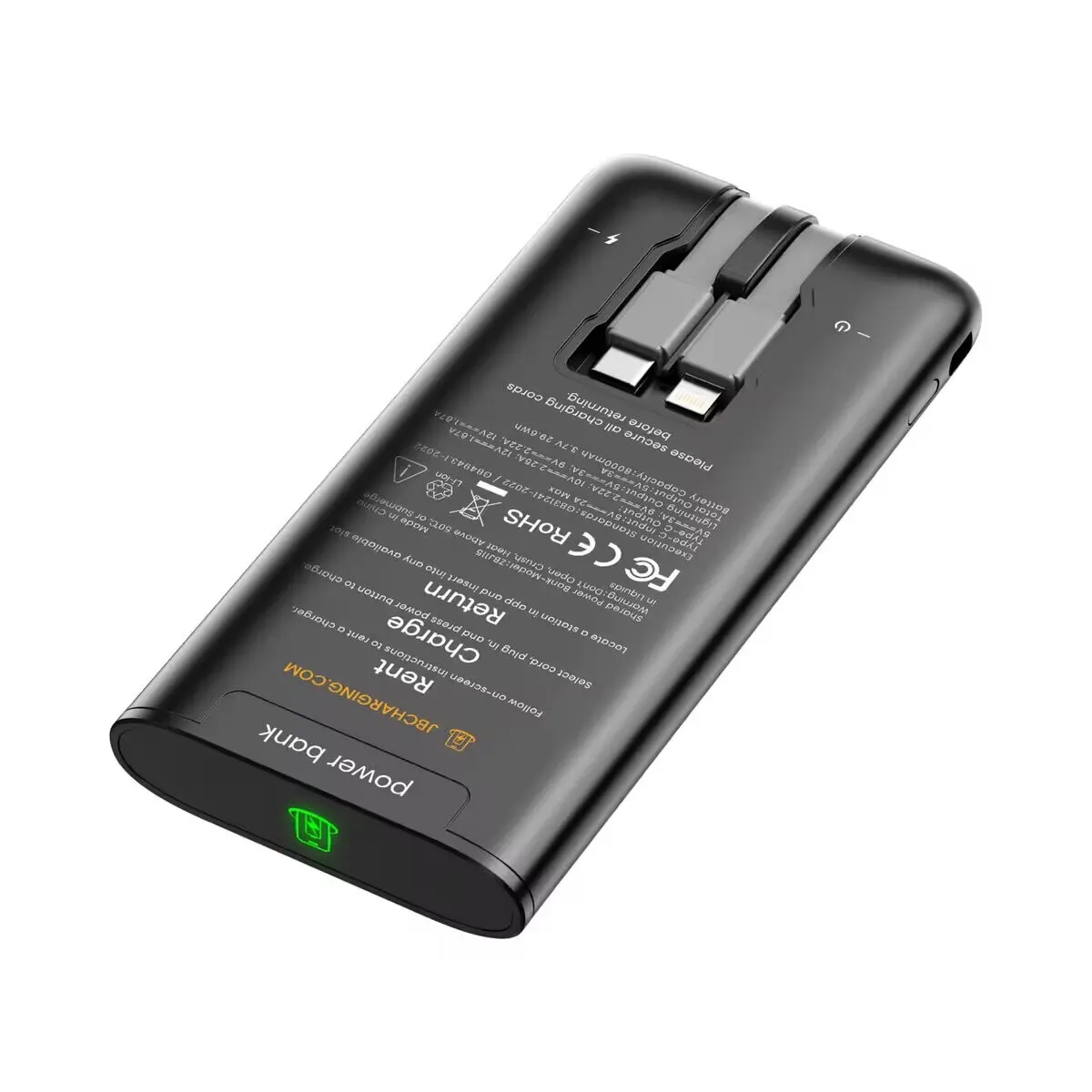
That's close to the FCC's tip to carry an external battery. The difference is that the battery isn't yours, which is why the 2 habits below still apply. In principle, someone could hide a malicious circuit in anything with a USB plug, power banks included, and no label rules that out on our banks or anyone else's.
Juice jacking risk by charger, ranked
| Charging option | What your phone plugs into | Data risk | What to do |
|---|---|---|---|
| Your own adapter in a wall outlet | Your adapter; the outlet supplies only electricity | Lowest. The FCC lists it first | Best choice when you can stay near the outlet |
| Your own power bank | A battery you own | Very low | Charge it before you leave home |
| Power bank rented from a JB Charging station | A battery you carry away, connected only to your phone | Low. It would take a deliberately built malicious bank | Skip a bank that looks cracked, opened or tampered with. Decline any trust or data prompt |
| USB port in a wall, seat or kiosk | Whatever is wired behind the port | Higher. It's the hidden-wiring setup the FBI and FCC warnings describe | Use your own adapter if there's an outlet, or a charging-only cable from a trusted supplier (another FCC tip). Decline every prompt |
| A cable someone left plugged in | A cable of unknown origin | Avoid. The Los Angeles County District Attorney warned about these in 2019 (TechCrunch) | Skip it |
At 5% with a USB port as your only option? Use it. Decline every prompt, lock the screen, and unplug once you have enough charge to get home.
2 habits that lower your risk on any charger
1. Never approve a data prompt from a charger. On an iPhone, a "Trust This Computer?" alert means the other end is asking for access. Apple says a trusted computer can reach your photos, videos and contacts, and tapping Don't Trust blocks that access (Apple Support). On Android, file access over USB has to be switched on from the "Charging this device via USB" notification (Android Help), so leave that setting alone. The FCC's version of the rule: if a prompt offers "charge only," pick it.
A battery has no reason to ask your phone for anything. If a power bank triggers a prompt, decline it, unplug, and report the bank through the help on the station, the app or your receipt.
2. Install your phone's updates. ChoiceJacking worked by getting around the prompt itself, so the fix had to come from the phone makers. Updates are how those fixes reach your phone.
A bonus habit: if you aren't using the phone while it charges, lock the screen. In the ChoiceJacking tests, pulling files off a locked phone worked on devices from only 2 of the 8 vendors.
Battery safety: what the marks cover, and what to do with a damaged bank
Data is one worry, and the lithium battery is the other. The banks JB Charging sells today hold 8,000 mAh and carry FCC, CE and RoHS marks. Those cover radio interference (FCC), the maker's declaration of EU conformity (European Union) and limits on hazardous substances such as lead (European Commission). If your insurer, landlord or fire marshal needs specific documentation, ask the operator for it in writing before install.
Day to day, battery safety comes down to charging, handling and retirement:
- Charging. Banks recharge in their slots inside the station, which plugs straight into a standard wall outlet. A good install keeps the station out of exit paths and off extension cords.
- Retiring. Banks are rated for 500+ charge cycles. Pulling worn ones is the operator's job, not the venue's.
- Handling. Don't use a bank that looks swollen or cracked, feels hot, smells odd or got wet. Don't leave it in a hot car, and don't try to open it. The label on the bank itself warns against opening, crushing, heating above 50°C (122°F) or submerging it.
If a guest hands staff a damaged bank:
- Don't push it back into a slot. Each slot charges the bank it holds.
- Set it on a hard surface, away from guests and anything flammable.
- Call the operator who runs the station so they can collect it.
What hosting a station means for your venue
- Who runs it. An operator: the local business that owns, stocks and services the station. Get their name and number before install, so staff know who to call about a damaged bank.
- Cost. Under JB Charging's standard venue agreement, hosting costs the venue nothing beyond the outlet's electricity. Terms, including any rental share, are agreed in writing before install.
- Guest data. A tap rental has no app, no account and no sign-up form. Guests tap a contactless card or phone, as they would at a register, and see the price on the screen first.
- Your network. Stations run on their own built-in 4G, with Wi-Fi only as a backup, so there's usually no network password to hand over.
- Lost banks. If a guest keeps a bank past the station's return window, the renter pays a non-return fee and keeps the bank. The venue is never charged.
- Insurance. Venues can ask to be named additional insured on JB Charging's general liability policy, and each request is handled on its own. That policy is JB Charging's, so also ask the operator for a certificate showing their own coverage.
Our venue agreement checklist covers the rest of what to read before you sign.
What to tell guests: a script for venue staff
Guests ask the bartender or the front desk, not a search engine. Give your team this line:
"It's a battery, not a USB port. Tap your card, take a bank, plug in and press its button, and if your phone ever asks you to trust something, tap no."
For follow-ups:
| If a guest asks | Staff can say |
|---|---|
| "Can it get into my phone?" | "It's a battery. It has no reason to ask for access, so if your phone ever asks, tap Don't Trust." |
| "Is it going to overheat?" | "It's a lithium battery, like the one in your phone. If one ever feels hot or looks puffy, hand it to us and we'll get it to the operator." |
| "Does the machine get my info?" | "You just tap your card, like at a register. No app, no account." |
For a counter card or table tent, 3 lines are enough:
You plug into a battery, not a USB port. If your phone asks to trust a device, tap Don't Trust. Return it to any open slot when you're done.
Don't let staff improvise "it's hack-proof" or "it can't touch your data." Nobody can promise that about any charger, and a skeptical guest knows it.
If your current answer is a phone behind the bar on a borrowed cable, check what that cable plugs into. If it runs to a USB port on a register or a laptop, that's the computer-on-the-other-end setup the warnings describe, and your staff are now holding a guest's phone. We weigh that habit in should bartenders charge customers' phones?.
Next step
If you run a bar or restaurant, our bars and restaurants page covers where a station goes and how hosting works.
Frequently Asked Questions
Has juice jacking ever actually happened?
Not in any confirmed case the FCC knew of. Its consumer guide, updated in April 2023, said juice jacking had been demonstrated as a proof of concept, but the agency was not aware of any confirmed instances. Researchers keep showing new versions in the lab, including ChoiceJacking in 2025, which is why phone makers keep shipping fixes.
Can a power bank juice jack your phone?
Only if someone built a malicious one. A normal power bank stores and delivers power and has no reason to ask your phone for data access. When you rent from a JB Charging station, you plug into the bank's own built-in cable and carry the bank away, so it isn't connected to the station or a computer while it charges your phone. If any charger brings up a trust or data prompt, decline it.
Should I tap Trust or Don't Trust when my phone is charging?
Tap Don't Trust unless you're plugged into your own computer. Apple says a trusted computer can access your photos, videos and contacts. A charger or power bank only needs to deliver power, so it never needs your trust. On Android, leave the USB setting on charging instead of switching on file transfer.
Is it safe to charge my phone at an airport or hotel?
The safest option is your own charger in an electrical outlet. That's what the FBI's Denver office told travelers in 2023, and the FCC also suggested carrying an external battery. If a USB port is all there is, decline any trust or data prompt and lock your screen while the phone charges.
Do I need a USB data blocker or a charge-only cable?
For a public USB port, one can help. The FCC suggests carrying a charging-only cable from a trusted supplier. With a rented bank, you plug into the bank's built-in cable, so the habits that matter are the ones that work everywhere: decline any trust prompt and keep your phone updated.
Are rented power banks safe to carry around?
Treat one like any lithium battery. Don't use a bank that looks swollen or cracked, feels hot, smells odd or got wet, and don't leave it in a hot car. The banks JB Charging sells today carry FCC, CE and RoHS marks, which cover radio interference, EU conformity and hazardous substances, and are rated for 500+ charge cycles. If a bank looks damaged, stop using it and tell staff so the operator can collect it.