How Power Bank Rental Works: A Guide for Guests and Venue Staff
JB Charging Team

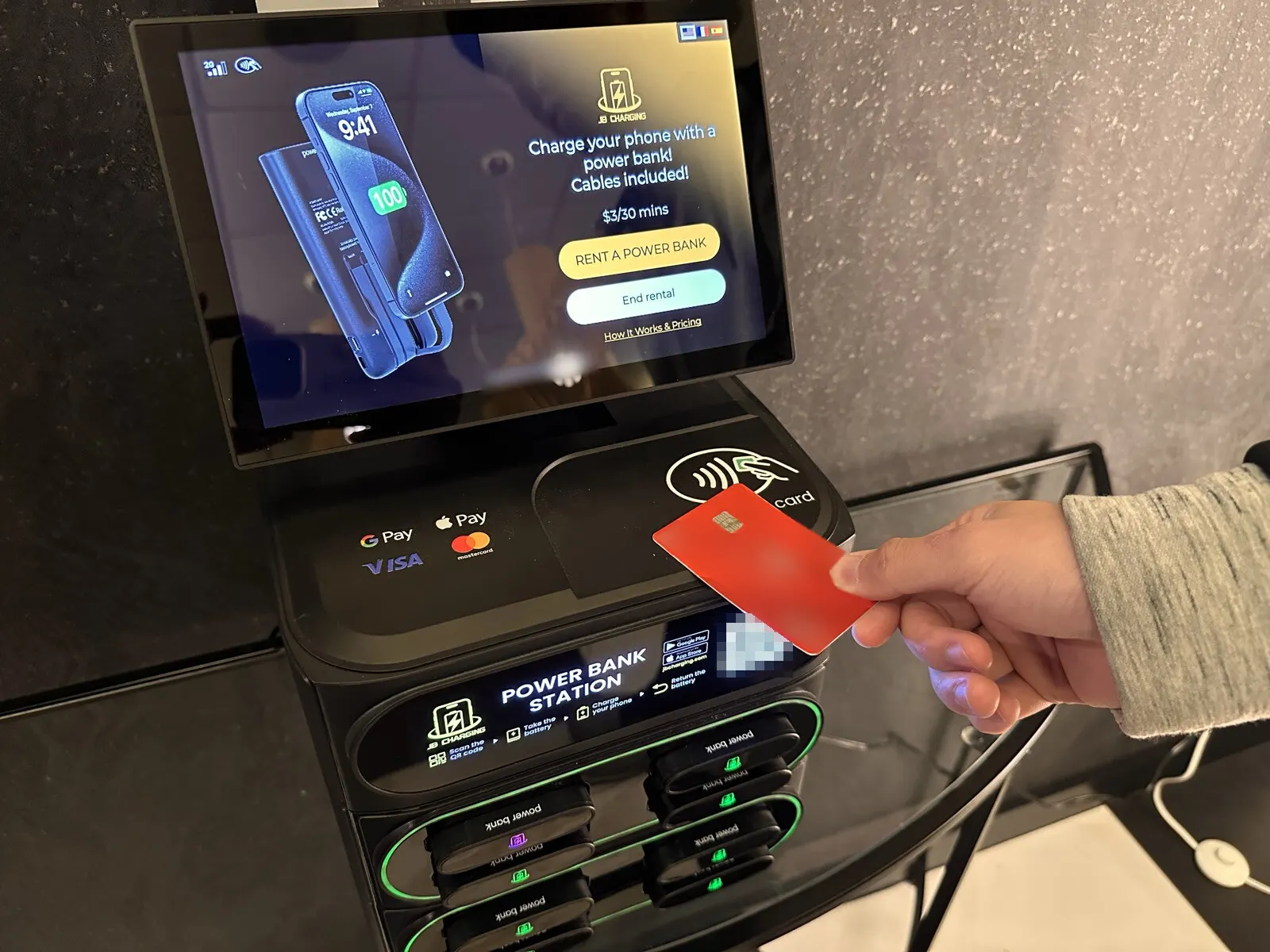
How does power bank rental work? A guest taps a card or phone on the station, takes a charged power bank with the cables built in, and keeps their phone with them while it charges. When they're done, they push the bank into any open slot at any JB Charging station, and billing stops.
For the venue, the short version: under our standard terms you provide a spot and the electricity, staff never handle money or phones, and you're never charged for a bank that doesn't come back.
Below: the 4 steps and what can go wrong at each, what guests pay, and what happens when a bank isn't returned. Near the end is a fill-in staff card with a 3-sentence script and answers to 10 follow-up questions. Print it and keep it by the register.
How does power bank rental work, step by step
| Step | What the guest does | What happens | If it goes wrong |
|---|---|---|---|
| 1. Tap | Taps a contactless card or phone wallet (Apple Pay, Google Pay) on the reader, or scans the station's QR code with the optional JB Charging app | The rental starts. A tap needs no app, account or sign-up | Phone already dead: it can't tap, so the guest uses a physical card or a friend taps. There's no cash option |
| 2. Take | Pulls out the charged bank the station releases | Lightning and USB-C cables are built into the bank | Nothing comes out: help is on the station, in the app or on the receipt |
| 3. Charge | Plugs in and carries on: at the table, on the floor, out the door | Billing runs at the price shown on the screen | A much older micro-USB phone won't connect |
| 4. Return | Pushes the bank into any free slot at any JB Charging station | Billing stops on its own | Handed to staff or left on a table: billing keeps running until it's in a slot |
Staff do nothing at any step. The station shows the 4 steps as pictures on its front panel and the price on the screen before anyone pays, and a rental takes about 30 seconds.
Each station is placed and run by an operator, usually an independent local business that owns the machine, sets its price, and keeps it stocked and serviced. JB Charging supplies the stations and runs the payments, the app and renter support.
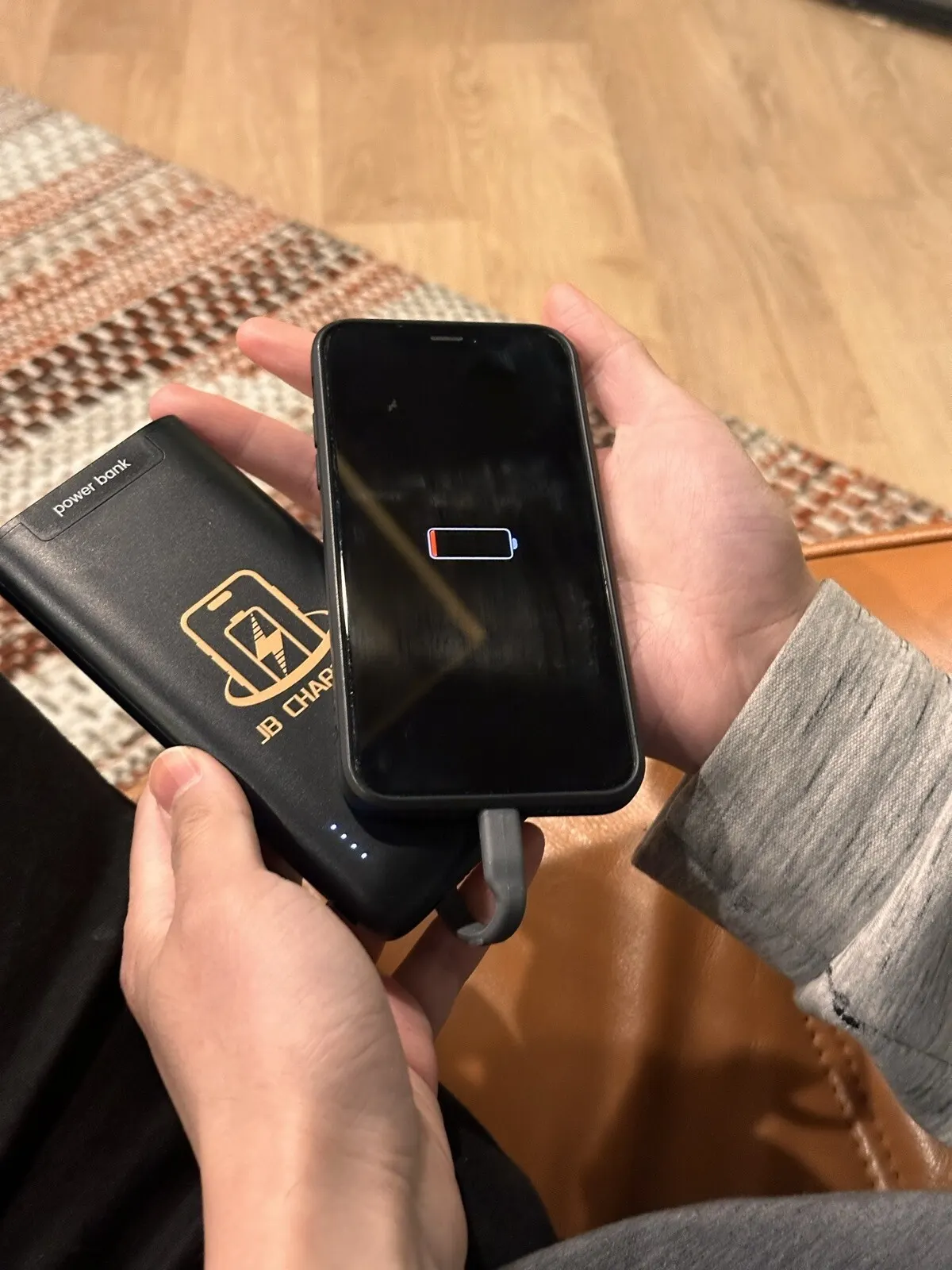
What's in the bank: built-in cables and which phones it fits
Each bank holds 8,000 mAh and charges at up to 22.5W through a Lightning cable and a USB-C cable built into the bank. That covers older iPhones (Lightning), newer iPhones and current Android phones (USB-C). There's no micro-USB cable.
If guests ask whether a rented bank is safe to plug into their phone, point them to is it safe to rent a power bank.
What a rental costs the guest
The operator sets each station's price, so the screen is the final word. The common default is $3 per 30 minutes with a $20 daily maximum. At that default:
| Guest keeps the bank for | Guest pays |
|---|---|
| 30 minutes | $3 |
| 1 hour | $6 |
| 2 hours | $12 |
| 3 hours | $18 |
| 3½ hours up to a full day | $20, the daily maximum (7 half-hours would be $21) |
Some stations charge more where demand is high, and operators can add free minutes at the start, up to an hour.
Returning the bank
The guest pushes the bank all the way into any free slot at any JB Charging station, and billing stops on its own. A guest can rent at your venue and drop the bank at another JB station across town, if the app's map shows one. Where yours is the only station nearby, the bank comes back to you, and so does the guest.
Billing stops only when a station takes the bank back. A bank handed across the counter is still running on the guest's card, so staff should point to an open slot rather than take it. If a guest leaves one behind, slide it into an open slot.
If every slot is full, the guest can use the app's map to find another station, or reach support from the app or the receipt. Keeping the right number of charged banks in each station is the operator's job, and the operator's dashboard flags a station that's low on banks.
What happens if a guest doesn't return the power bank
By default, if a bank isn't back within 24 hours, the renter's card is charged a non-return fee and the bank is theirs to keep. Each station sets its own window and fee, so a given station can differ.
So when someone asks what happens if people walk off with them: the renter pays, the operator restocks, and the venue is never charged.
Can you fly with a rented power bank?
Picture checkout at 6am: a guest holds up a rented bank and asks if it can go on the plane. The easy answer is to drop it in the station on the way out. It's a rental, and the non-return fee applies once the window passes.
If they fly with it anyway, the FAA says power banks go in carry-on baggage only, and one in a bag that gets checked at the gate has to come out and stay with the passenger. A JB bank is rated at 29.6 Wh, under the 100 Wh level the FAA allows without airline approval. Airlines can set stricter rules, including how many power banks a passenger can bring and whether one can be used on board, so travelers should check with their airline.
What the venue does, and doesn't do
The venue provides a visible spot, a standard wall outlet and the electricity. A countertop J8 Pro runs on a 60-watt adapter, about what a laptop charger draws. It's about 9 inches square at the base and 16 inches tall, and it can go on a floor stand or wall mount if counter space is tight. Larger rooms use a 24-slot floor tower. Install means plugging it straight into the wall, never into an extension cord, and keeping it out of exit paths. It runs on its own 4G, with Wi-Fi only as a backup, so there's usually no network password to hand over.
The operator stocks and services the station. Before install, get their name and number and ask how often they'll visit. That's who your manager calls if the station goes dark, a slot jams, or it runs out of charged banks. We handle renter payments and support through the station, the app and the receipt, so a guest with a problem doesn't need your staff.
Safety and insurance: the banks charge inside the closed station and carry FCC, CE and RoHS marks. JB Charging carries general liability insurance, and we can name your venue as an additional insured on request.
The terms: under our standard terms, hosting is free to the venue apart from the electricity. The standard agreement runs 6 months, then month to month with 30 days' notice, and the station is removed at no cost to you. The venue isn't liable if guests take or misuse the banks, and agrees not to host a competing charger during the term. Any share of rental revenue is agreed in writing before install, and an operator's terms can differ. Check any contract against our venue agreement checklist. Weighing hosting against owning one? Read how to get a phone charging station for your business.
The staff card: print this
Before the station goes live, have someone rent a bank and return it while the team watches. One real rental teaches it faster than any card. Ask your operator for JB pitch cards too: the back of each is a rental guide for staff.
Fill in the blanks with your operator:
Where: the charging station is by the ____________.
Price: $____ per 30 minutes, up to $____ a day. It's on the screen before anyone pays.
Return: any open slot, here or at any JB Charging station. Not back within ____ hours: the renter pays a $____ fee and keeps the bank. We're never charged.
Operator: __________, --__. Text them if the station is dark, empty or full.
The script, 3 sentences:
"The charging station's by the [restrooms]. Tap your card or phone and a battery comes out with the cables built in. Drop it in any open slot when you're done, here or at any JB station, and billing stops."
When a guest has a follow-up:
| If a guest asks | Staff say |
|---|---|
| "How much is it?" | "$__ per half hour, up to $__ a day. It's on the screen before you pay." |
| "Do I need an app?" | "No. Just tap a card or your phone." |
| "Will it fit my phone?" | "It has a Lightning cable for older iPhones and a USB-C cable for newer iPhones and Android phones." |
| "Can I take it with me?" | "Yes. Bring it back here or to any JB station within __ hours. Flying? Carry-on only, never checked." |
| "My phone's completely dead." | "You'll need a physical card, since a dead phone can't tap. Or a friend can tap for you." |
| "What if I forget to return it?" | "After __ hours, your card is charged a $__ non-return fee and the battery's yours." |
| "Can I just give it to you?" | "Please push it into an open slot yourself. Billing only stops when the station takes it back." |
| "It charged me wrong" or "Nothing came out." | "Help is on the station's screen, in the app or on your receipt. Support handles charges; we can't change them from here." |
| "It says there are no batteries." | "Try the next station on the app's map." (Staff: text the operator.) |
| "Can you just charge my phone back there?" | "We don't hold phones, but the station's right there." |
Next step
To see where a station would fit in your space, start with the page for your venue type, such as bars and restaurants, or use the Request a station button below with your venue, city and rough daily guest count.
Frequently Asked Questions
Do I need an app to rent a power bank?
No. Tap a contactless card or a phone wallet (Apple Pay or Google Pay) on the station's reader, and a charged power bank comes out. There's no account or sign-up. The JB Charging app for iOS and Android is optional. With it you can rent by scanning the station's QR code, and it maps every station on the network.
How much does it cost to rent a power bank?
The operator who runs each station sets its price, and the screen shows it before you pay. The common default is $3 per 30 minutes with a $20 daily maximum, so an hour costs $6 at that default. Some stations charge more where demand is high, and operators can add free minutes at the start.
Can I return the power bank to a different station?
Yes. Push it into any free slot at any JB Charging station, and billing stops on its own. Billing only stops once a station takes the bank back, so don't hand it to staff. The JB Charging app's map shows where stations are. In a town with only one station, return it there.
What happens if I don't return a rented power bank?
By default, if the bank isn't back within 24 hours, your card is charged a non-return fee set by the station and the bank is yours to keep. Each station sets its own window and fee. The venue is never charged.
Do venue staff have to do anything when guests rent power banks?
No. Guests rent and return the banks themselves, and the station shows the steps in pictures on its front panel. The local operator who places the station keeps it stocked and serviced, and renters get help through the station, the app or the receipt. If a guest asks, staff only need to point to the station.
Does it cost a venue anything to host a power bank rental station?
Under JB Charging's standard terms, no. The venue provides a spot by a standard wall outlet and pays for the electricity. The local operator who places the station stocks and services it, and renters get support through the station, the app or the receipt. All terms, including any share of rental revenue, are agreed in writing before install, and an operator's terms can differ.