Where to Place a Phone Charging Station Inside a Venue: 10 Rules
JB Charging Team

Where to place a phone charging station comes down to one question: where do people in this venue stand still with a phone in hand and half a minute to spare? The same J8 Pro can sit idle on a shelf by the kitchen door and get far more use 50 feet away in the restroom hallway. Run made-up numbers on it, as we do below, and those 50 feet can decide whether a station covers its cost in about a year or never does. Here are 10 placement rules, where they point in six venue types, and a checklist to run before you leave.
Where to place a phone charging station: 10 rules
- Put it where people already stand still.
- Make it visible from where the crowd sits.
- Put it on the way out.
- Keep its back to a wall, out of the flow.
- Never on the working bar, in an exit path or on an extension cord.
- Test the signal at the exact spot.
- Turn the lit header toward the room.
- Make sure every shift knows where it is.
- Put a sign where people wait.
- Leave a slot or two open for returns.
When rules pull apart, rule 1 wins, then rule 2. Bar seats often can't see down the restroom hallway, so put the station at its mouth, in view of the bar, and let a sign cover the rest.
1. Put it where people already stand still. A rental takes about 30 seconds, and nobody stops for 30 seconds at something they're walking past. People rent where they're already waiting with a phone in hand: the restroom line, the host stand, coat check, the ATM, the lobby seats by the ride pickup. Walk the venue at its busiest hour, not at 2pm on a Tuesday. Stand at each candidate spot for 10 minutes and count who stops within arm's reach. The spot where the most people stop wins, even if another sees more people pass.
2. Make it visible from where the crowd sits. The guest who needs a bank is sitting at 9% battery, not touring the room. If they can't see it from their seat, they'll ask the bartender instead. Sit in the three busiest seats; if you can't see the screen or header from at least two, keep looking. A crowd three-deep at the bar blocks sightlines that looked clear in the afternoon.
3. Put it on the way out. A renter has to bring the bank back, so put the station on a route they'll walk anyway. Picture 1:50am: the tab is closed, the group is splitting a ride, and the guest who rented at 11pm has a bank to give back. If the station is on the way to the door, the bank goes back in a slot. If it's back by the kitchen, it may leave in a pocket. An entrance works only where people wait, like a host stand or coat check; a door people walk straight through doesn't.
4. Keep its back to a wall, out of the flow. Backed against a wall or pillar, a station can't be bumped from behind. That matters most for towers: the J24 Pro stands 70.9 inches and weighs 72.8 pounds, the J48 Pro 80.7 inches and 130.1 pounds. Set it beside the walkway, not in it, and if the manager worries about theft or tipping, pick a spot staff can see. A J8 Pro can sit on a counter, a $150 stand (list price at the time of writing) or a wall mount; drilling for a mount needs the owner's OK, and in a leased space maybe the landlord's. Show a hesitant manager the spot in the portal's 3D Viewer.
5. Never put it on the working bar, in an exit path or on an extension cord. Each of these can get a station pulled.
- The working bar. Where drinks are poured or set down, a station gets splashed, crowds the service well and turns bartenders into its help desk. A dry end of the counter on the restroom path, away from the taps, can work.
- Exit paths. Keep it clear of exit doors and the aisles and corridors that lead to them. OSHA's exit route standard says no equipment may be placed in an exit route, even temporarily, and your local fire marshal may ask for more.
- Extension cords. Plug it straight into a wall outlet. OSHA's electrical standard says flexible cords may not be used as a substitute for a building's fixed wiring. A cord across the floor is also a trip hazard, and the first thing unplugged when someone needs to vacuum.
Measure your power cord beforehand so you know your reach. If your first-choice spot has no outlet in range, take the next spot that has one, or ask the owner about having an electrician add one. Skip outlets on a wall switch or timer: when closing staff kill the lights, the station goes dark too.
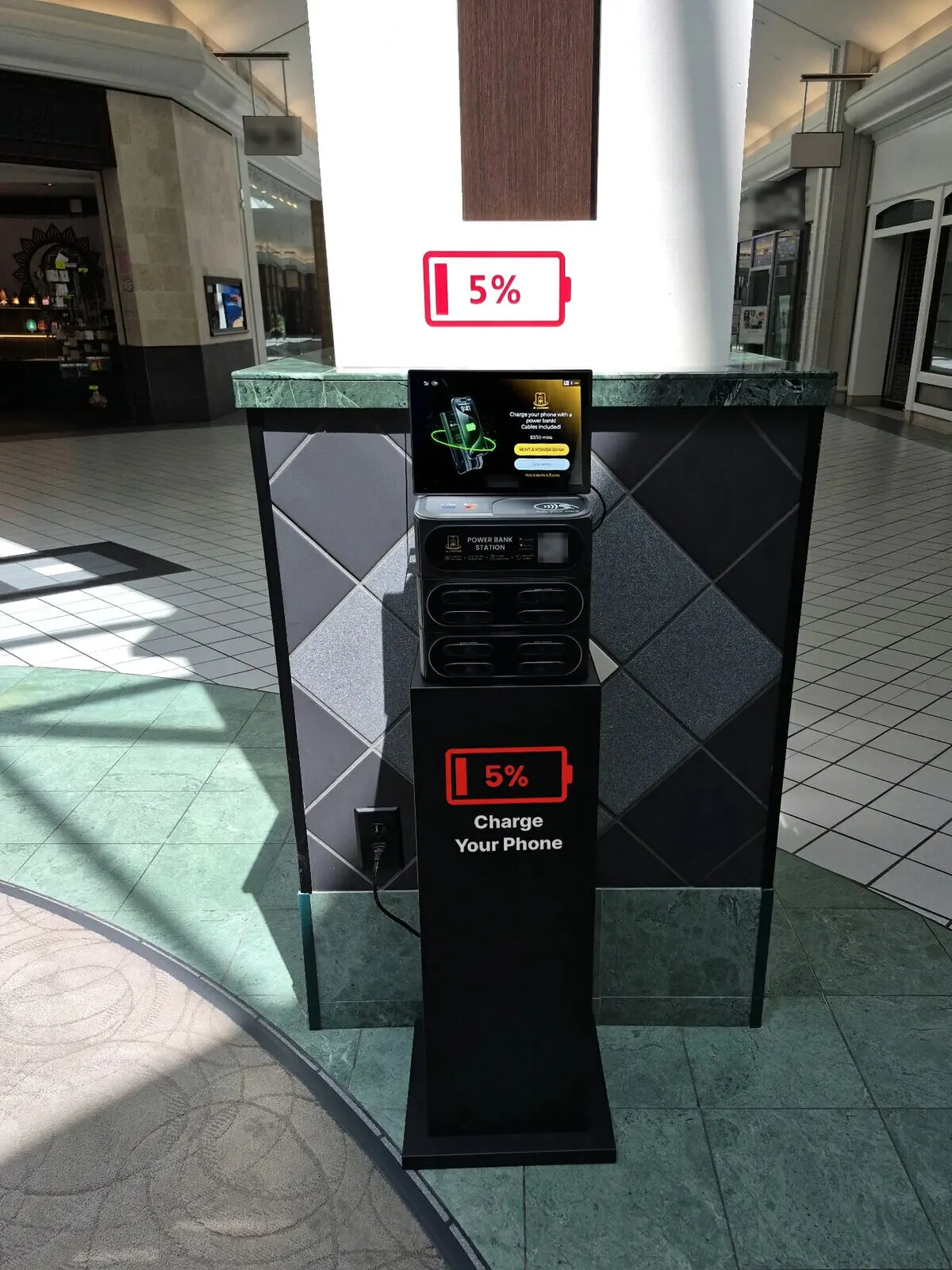
6. Test the signal at the exact spot. Every station we sell ships with a built-in 4G SIM at no charge, with Wi-Fi as a backup. But basements, concrete rooms and back hallways can be dead zones, and a station that can't reach the network can't take rentals. Plug it in where it will live and check that it shows online in your portal; your phone's bars are only a rough guide. Where signal is weak, set up the venue's Wi-Fi as the backup that day. Keeping stations online covers what to do when one goes dark.
7. Turn the lit header toward the room. The J8 Pro comes with a lit header, and in a dim bar it reads from across the room like an exit sign, but only if it faces the people. Angle the header and screen toward the seats, not a dead-end hallway or a wall. In a bright mall or lobby the screen does more of the work, so face it the way most people approach.
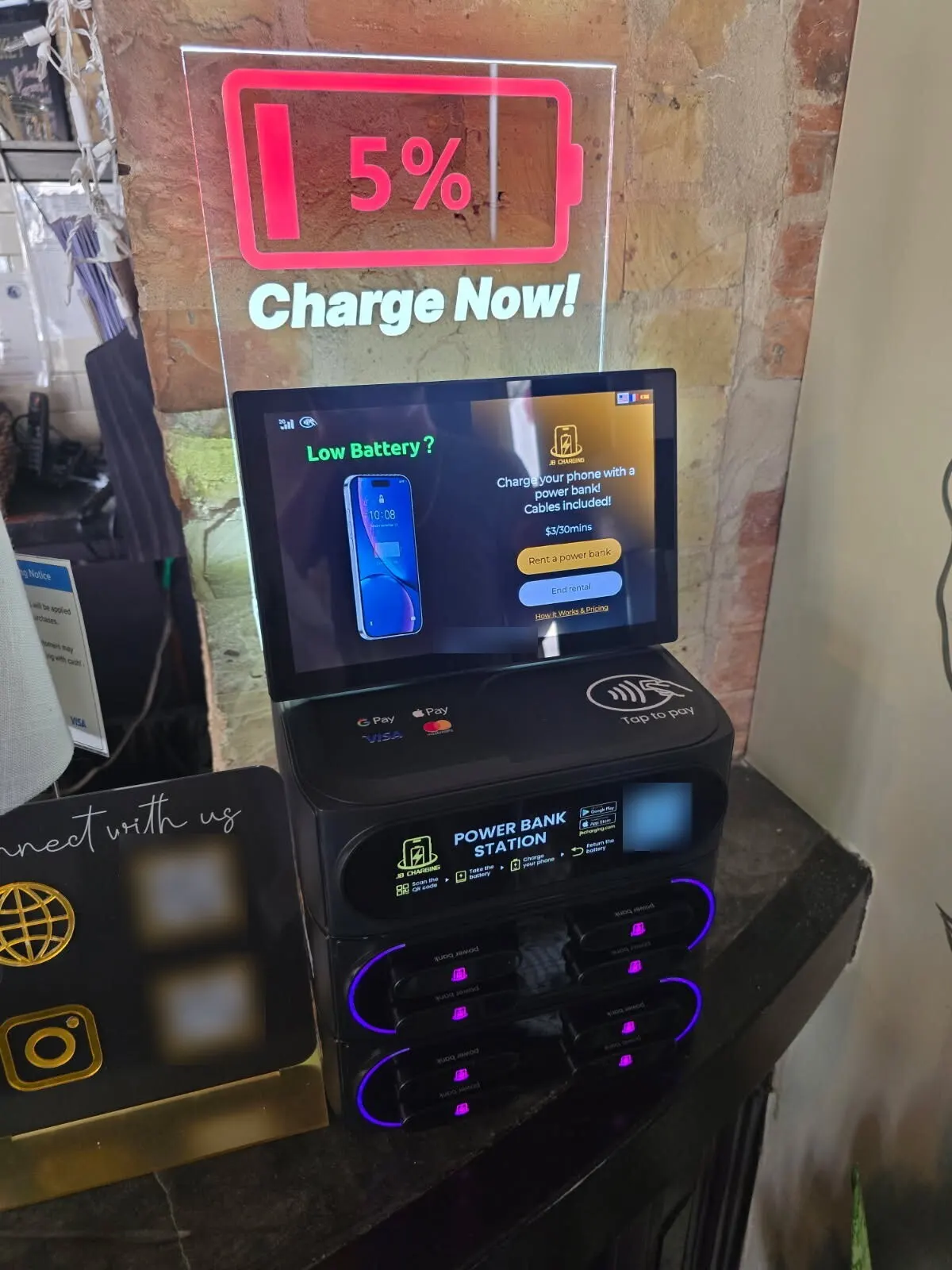
8. Make sure every shift knows where it is. Guests will still ask staff, "Can you charge my phone?" You want an answer that takes 2 seconds: "Station by the restrooms. Tap your card." Give that line, and the station's staff code, to the shift leads, not just the manager who signed. The code gets registered staff a limited number of free rentals (up to one a day), and staff who have used the station explain it better than any sign. The back of each pitch card is a rental guide written for staff.
9. Put a sign where people wait. Up close, the station explains itself with four pictured steps at eye level. A sign's job is to reach people who can't see it yet. With the manager's OK, put one small sign at the host stand, on the back bar or by the restroom line, saying where the station is and that renting takes a tap. A pitch card (4 by 9 inches, rental steps on the front) plus a note on where to find the station does the job.
10. Leave a slot or two open for returns. A renter can return a bank only to a free slot. A J8 Pro ships with a bank in all 8 slots, so a full one has no room for a bank rented from another station nearby. Keep one or two slots open and the rest charged; the portal flags stations running low or empty.
Where to put it in bars, hotels, malls, hospitals, stadiums and family venues
Still choosing the venue? In our experience, late-night bars, hotels, malls and entertainment venues where people wait do far better than gyms, offices, clinics and standalone restaurants. Hospitals mostly want charging free for patients, a different deal. Which bars are worth a station screens the biggest category.
| Venue | Put it | Skip | Usually fits |
|---|---|---|---|
| Bar or pub | Restroom hallway; by the door, coat check or ATM | The working bar (spills), the dance floor (nobody stops), the patio (weather) | J8 Pro |
| Hotel | Guest side of the front desk; lobby seating or lobby bar; conference pre-function | Guest floors (few people, no staff), pool decks and other wet areas, the gym, parking levels | J8 Pro at the desk, J24 Pro in a big lobby or pre-function |
| Mall or food hall | Food court edge, facing the seats; near restrooms and main entrances | Open corridor away from seating; in front of a tenant's storefront | J24 Pro |
| Hospital | Emergency and surgery waiting rooms; main lobby near the cafeteria | Corridors (often exit routes), clinical areas | J8 Pro in a waiting room, J24 Pro in a main lobby |
| Stadium or sports complex | Entry concourse; near concession lines; near the exits, not in them; parent seating at youth complexes | The seating bowl (nobody gets up), concourse choke points | J24 Pro, or a J48 Pro (built to order) for the biggest concourses; J8 Pro at a youth-complex snack bar |
| Trampoline park, bowling alley or arcade | Parent seating and viewing areas; check-in; the party-room hallway | The jump floor (no phones, no pause), the lanes, the arcade floor | J8 Pro at check-in, J24 Pro in a large parent area |
Match the station to the room: a J8 Pro gets lost in a concourse that holds a thousand people. J8, J24 or J48 walks through the choice.
What a better spot can be worth (hypothetical math)
Say a J8 Pro from the 5-pack cost about $950 with its share of shipping ($4,499.95 for five, list price at the time of writing, plus $245 bundle shipping as shown at checkout), and each rental brings in $5 once short and long ones mix. Assume the venue takes 10% of gross. Venue shares vary: many venues host for free as a guest amenity, and others take a share you negotiate. Any share comes out of your 80%, so here you keep 70%. Budget $15 a month for fuel and the odd replacement bank.
- Restroom hallway, in sight of the bar. If it does 30 rentals a month, about 1 a day, you clear $90 a month and the station is covered in about 11 months.
- Shelf by the kitchen door. If it does 4 a month, you lose about $1 a month after costs. It never covers itself.
Double the hallway's rentals and the same math covers the station in about 5 months; halve them and it takes about two years. In this made-up example, the hardware, price and venue are the same on both lines; only the spot changes. Plenty of well-placed stations rent less than the hallway line, so treat the totals as arithmetic, not a target. A better spot uses the demand a venue has; it can't create it.
Costs left out stretch every line: your time, taxes, a stand, slow months, and the liability insurance some venues ask you to carry. (Card processing is covered by JB's 20%.)
Install-day checklist: 9 checks before you leave
Every line should pass before you walk out.
| Check | Passes when |
|---|---|
| Online | The portal, or JB Hub on your phone, shows the station online with no card-reader alert. |
| Listed | In the portal, the station is assigned to this venue at the price you agreed, so the app's map shows it in the right place. |
| Test rental | With a staff member watching, you rented a bank with your own card, returned it, and it cleared from Active Rentals. |
| Visible | You can see the header or screen from the entrance and from at least two of the busiest seats. |
| Reachable | A guest can walk up and tap without moving a chair, a stool or a stack of boxes. |
| Power | Plugged straight into a wall outlet that isn't on a switch or timer, cord along the wall. |
| Stocked | Charged banks are ready, with one or two slots open for returns. |
| Signs | The sign you agreed on is up where people wait, and any pitch cards are where staff can reach them. |
| Staff | The shift lead can give the one-line answer and has the staff code. |
Then text the manager a photo of the finished setup and the one-line staff answer. It reaches the next shift and records the spot you agreed on.
Give the spot 30 days, then check
Venue Insights in the portal shows each venue's 7- and 30-day revenue and trend, and flags idle venues. If a station has stayed online and stocked for a full month and still barely moves, try another spot in the same room before giving up on the venue. The 30-day relocation test shows how to run that move and judge it.
Next step
Bring a rough floor plan or a few phone photos of a venue you're working on to a call with our team, and we'll talk through the spots with you. Already running stations? Send the photos to team@jbcharging.com. Machine dimensions are on the stations page.
Examples are illustrative only, not a forecast or a typical result. What a station earns depends on the venue, placement, pricing, local demand, and how actively you run it.
Frequently Asked Questions
Where should a phone charging station go in a bar?
Where guests stand still and can see it from their seats: the restroom hallway, by the entrance or coat check, or near the ATM. Keep it off the bar where drinks are poured, out of exit paths, and plugged straight into a wall outlet. Do the site walk during the bar's busiest hours, when crowds block sightlines that look clear in the afternoon.
How much space does a phone charging station need?
A J8 Pro is 9.4 by 8.7 inches and 16.1 inches tall, so it fits on a counter, on a stand or on a wall mount. A J24 Pro tower needs about 14 by 18 inches of floor and stands 70.9 inches tall. A J48 Pro needs about 23 by 16 inches and stands 80.7 inches tall. Each one needs a standard wall outlet within cord reach.
How do you secure a charging station in a venue?
Stand it with its back to a wall or pillar, beside the walkway rather than in it, and where staff can see it, such as the host stand or coat check. That matters most for towers: a J24 Pro weighs 72.8 pounds and a J48 Pro 130.1 pounds. Where floor space is tight, a J8 Pro can go on a wall mount, but get the owner's OK before you drill, and in a leased space possibly the landlord's.
Does a big venue need more than one charging station?
Match the station to the room, then count the rooms where guests wait. A J8 Pro suits a lounge, a front desk or a host stand, and a J24 Pro suits a large room or a mall concourse. A venue with separate rooms, such as a bar with an upstairs or a hotel with a lobby and a conference floor, can justify one in each, because guests rarely leave their room to go looking for one. Add a station only where people actually wait with phones in hand.
Does a charging station need the venue's Wi-Fi?
No. Every station we sell has a built-in 4G SIM at no charge, with Wi-Fi as a backup, so if signal is weak at the spot you chose, set up the venue's Wi-Fi as that backup before you leave.

